User Testing

Testing went really well overall and I received a ton of valuable advice and comments from my users. I was able to test with 4 users total, all who worked at specialty stores in my desired demographic. The comment that I received from almost every user was that I need to include more information on the Product pages to make them even more useful for employees. Information on availability, seasonal, discontinued items, and flavor profiles.
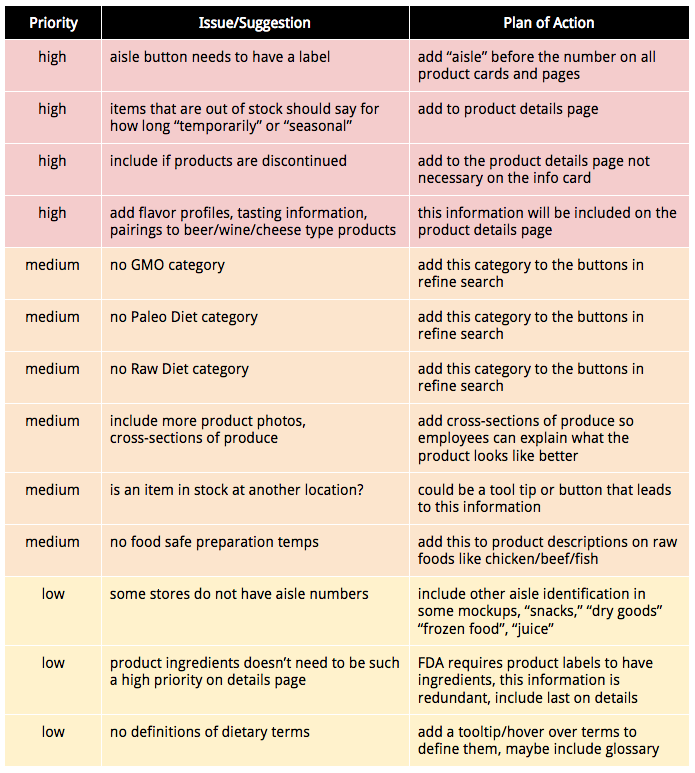
results chart

Tightening Up User Flows

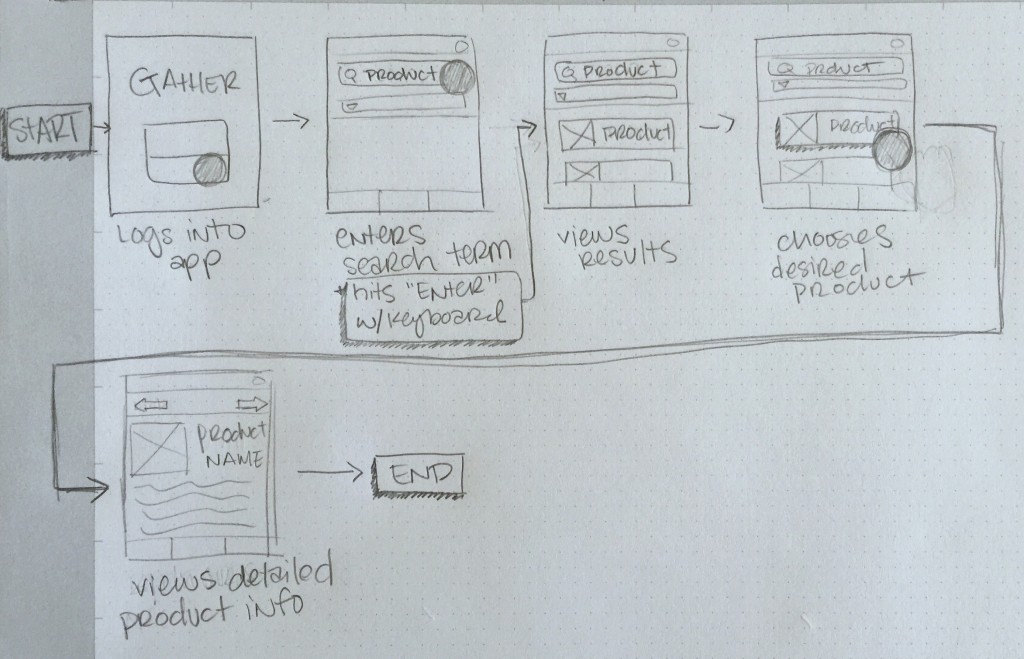
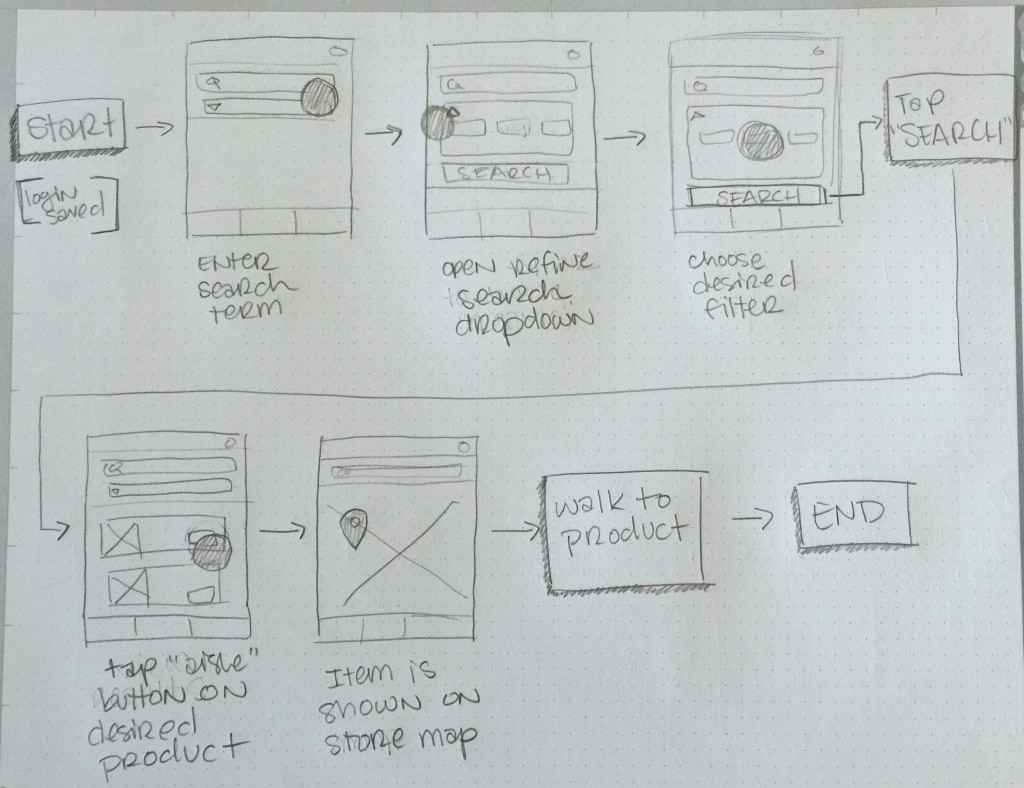
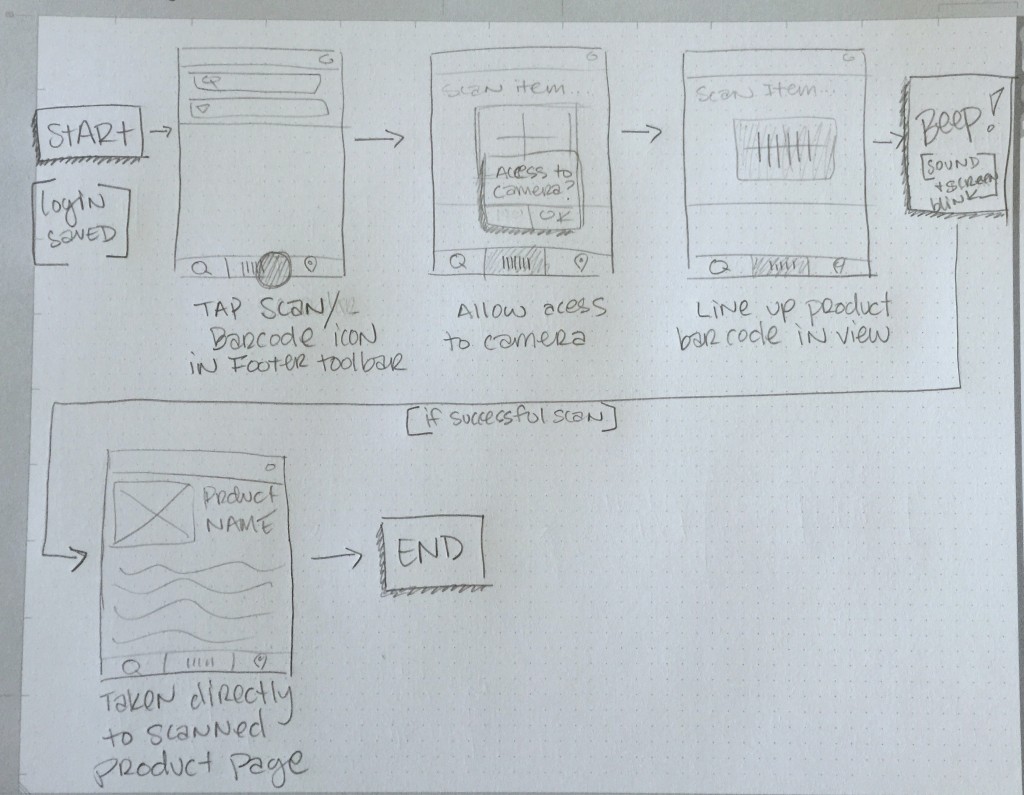
UX Round two has been a great experience and has given me a chance to really get my head around where my application is going and how to fine tune the final presentation. My updated storyboard sequences are below. I received some great advisement from my instructor on how to tie these all together with my user flows, testing tasks, and final prototype.

Andriana, these are good sequences. Add the stories into use stories in your presentation, flow it out, show how it works on site map, and finish off with the working prototype. -UX Instructor

Storyboard 1: Log into app and gather detailed product information.
storyboard 1

Storyboard 2: Using search filters and finding product’s location in the store.
storyboard 2

Storyboard #3: Scanning product in hand to quickly access more information.
storyboard 3

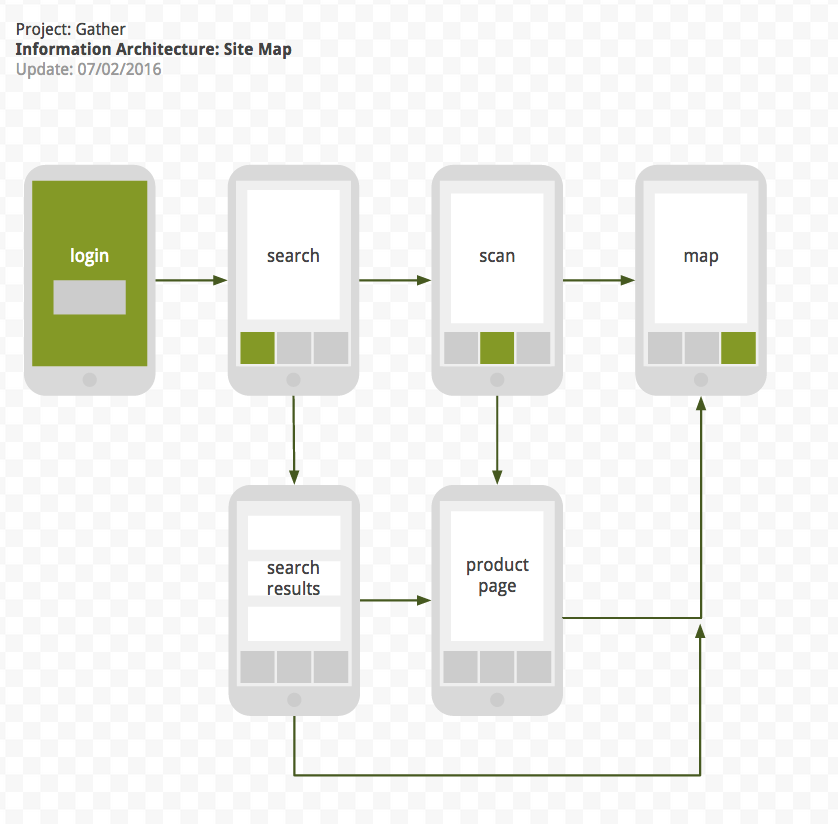
Information Architecture Revised

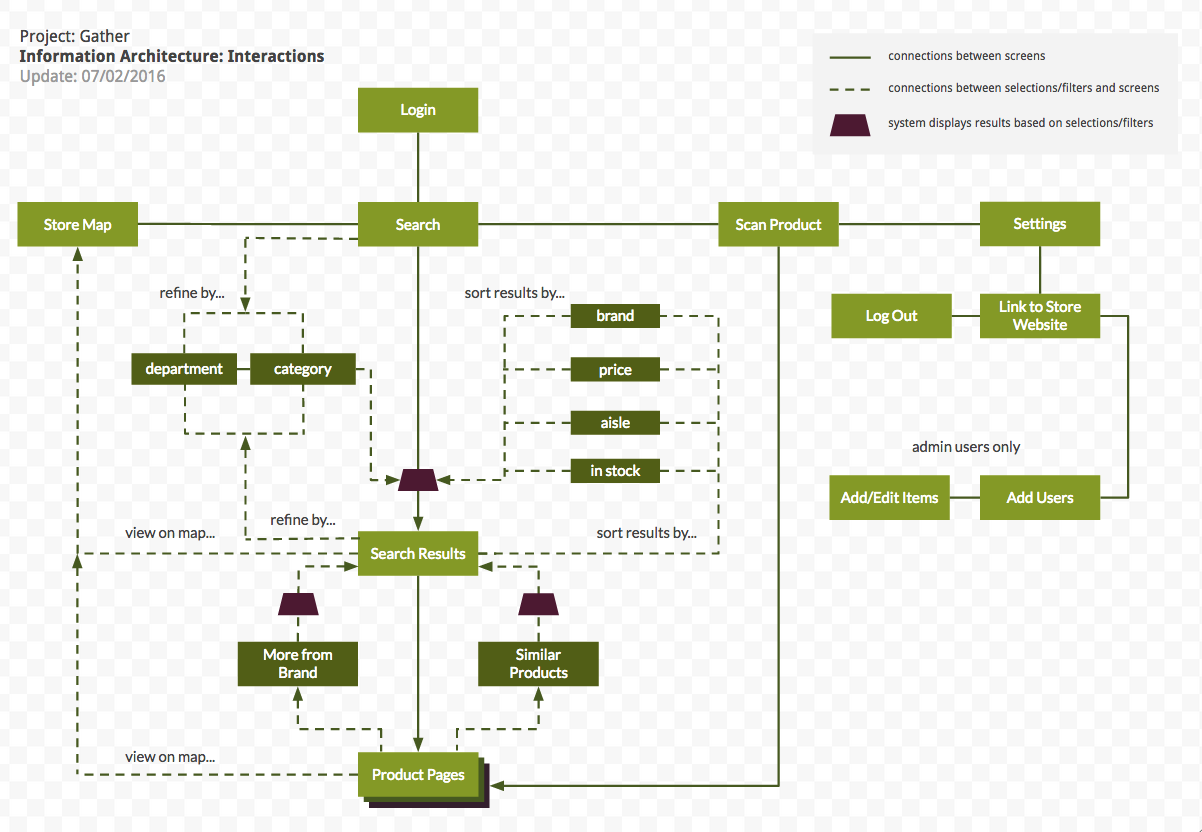
Based off my prototype work and advise from instructors I have revised my information architecture to more accurately reflect how my application is organized. Technically, I don’t need to include the sorting/filtering options because they are not screens or pages but I feel like they are necessary for me to give an overview of how my application would function. So I have created two separate site maps, one that showcases the interactions and one that is simply the screens seen by the user.

info_architecture_gutierrez

info_interactions_gutierrez


Gather POS Title Image

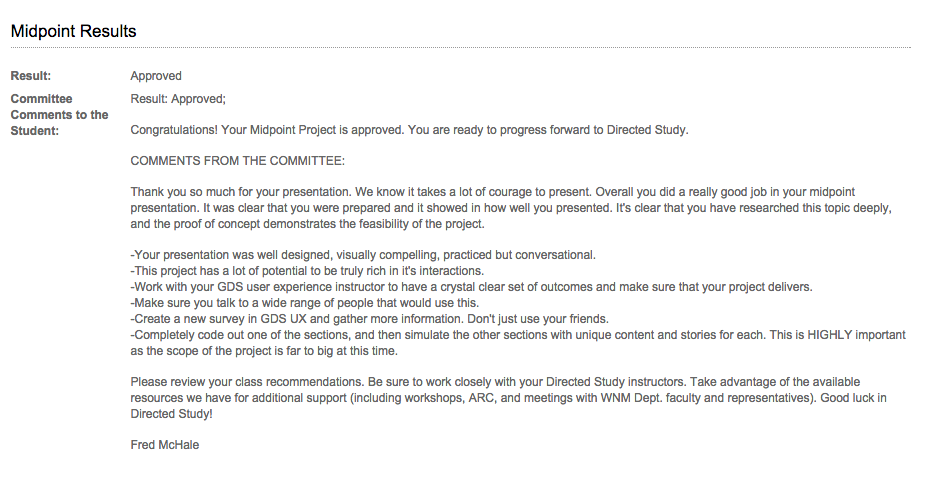
Feedback from Midpoint Review

Midpoint Results

From this feedback, I have decided what direction I am going with my Thesis project, Gather. I am going to go the Mobile Web Application route, since I want my app to be accessed from any device. Therefore I would assume that I would take DS: Responsive Web over DS: Scripting for Mobile.

Also, I am going to be focusing on the search aspect of my project. I have been researching how to create my own Point of Sale System and I have concluded that it is a bit over my head at this point. I am not a Computer Science major and my knowledge of code isn’t there yet. Like the panel mentioned, I can see myself getting lost in the POS part and not being able to concentrate on the design of the application. Since I am removing the POS portion of the project, I am going to be able to broaden my design, make it responsive and having it fit all sizes of devices. Let me know if you think I am heading in the right direction and if I reined in the scale enough.